 LiveBridge
Make music in Ableton Live by talking to Claude.
LiveBridge gives Claude 168 tools for Ableton Live: beats and basslines, chords and arps, Serum 2 sound design, automation, song structure, mixing and Splice samples. You describe the music; Claude builds it in your set, one undo step at a time.
- macOS and Windows
- Every Live 12 edition
- No Max for Live
- Claude Code and Claude Desktop
- live_transport_set(tempo=124)
- live_browser_load("909 Core Kit", new_track=true)
- live_clip_write_pattern(track="Drums", repeat=8)
- live_browser_load("Sub Bass", new_track=true)
- live_clip_write_pattern(track="Bass", step="1/8")
- live_browser_load("Warm Analog Pad", new_track=true)
- live_clip_write_chords("Am7 Fmaj7 Cmaj7 G")
- live_mixer_set_many(-6 dB, -9 dB, -15 dB)
- live_scene_fire(scene="Groove")
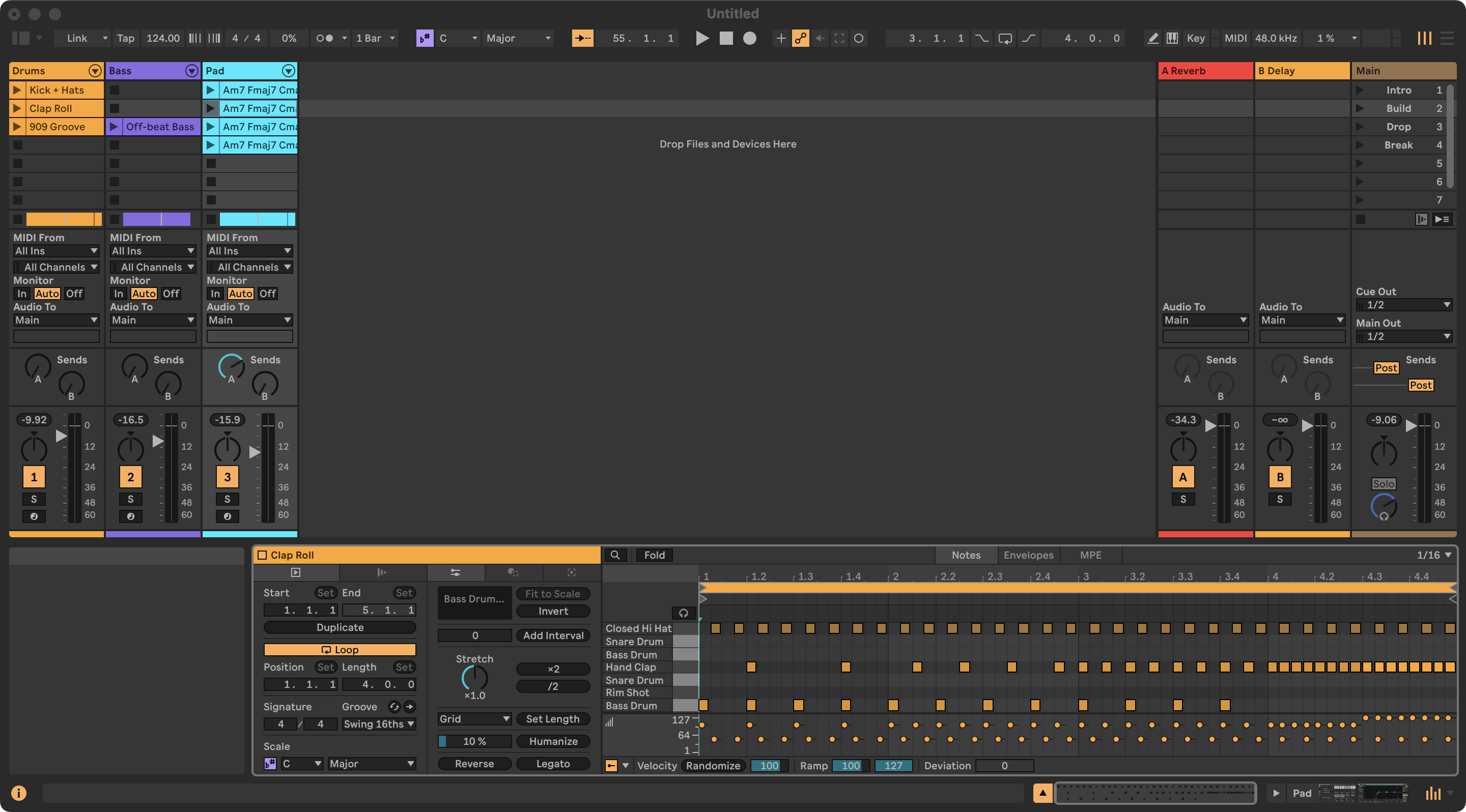
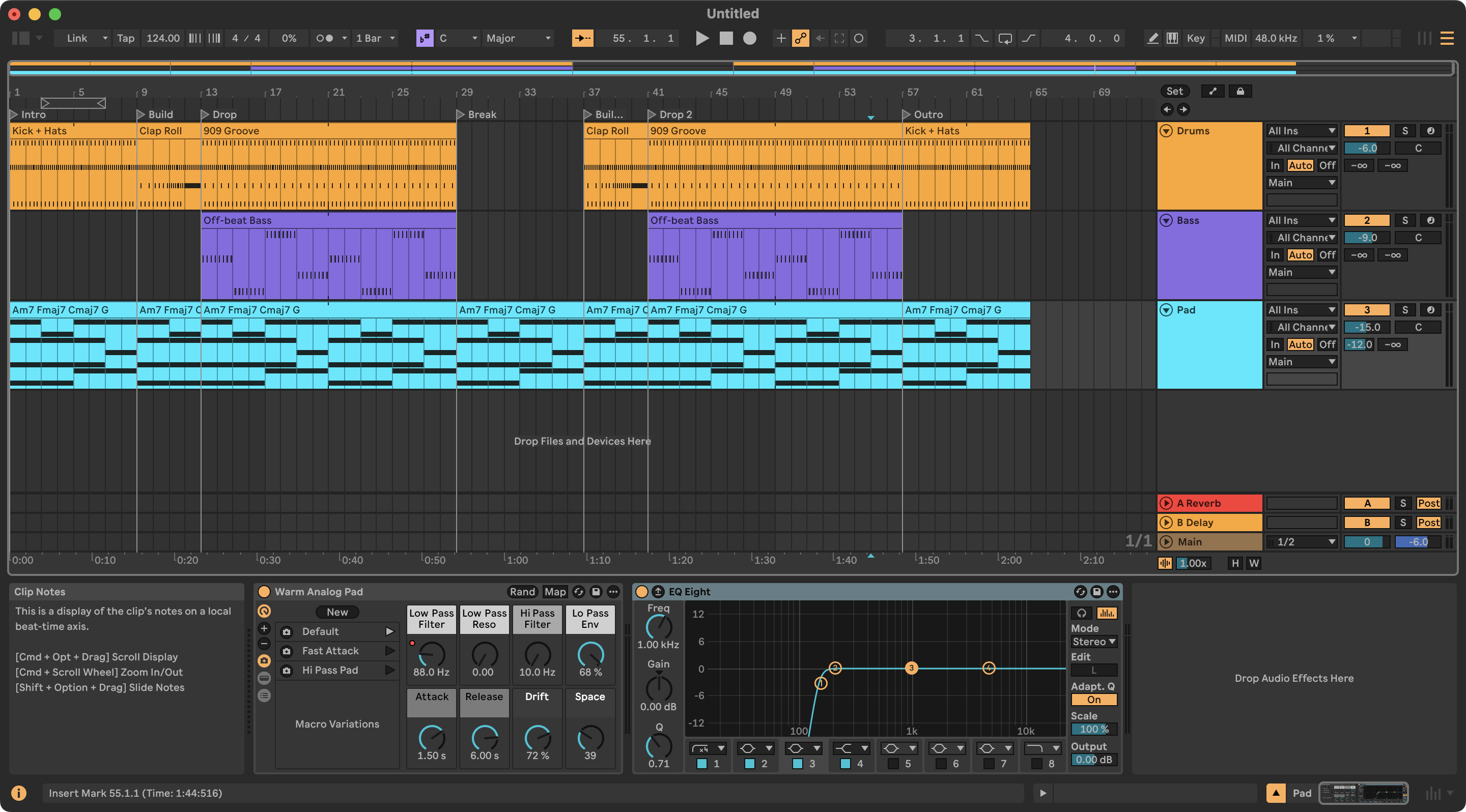
Not a mock-up: this is what it built
Screenshots of Ableton Live 12.4.5 after examples 1, 5 and 6, built through LiveBridge alone: a drum pattern mapped onto the 909 kit's pads, an off-beat bass, voice-led chords, a clap roll into the drop, a 64-bar arrangement with locators, and a low cut on the pad.
What you can ask
Every example shows the prompt, each tool call Claude makes and what Live answers. They were run against a real Live 12.4.5, except the two-computer setup, Splice's own search and the steps that play audio.
Why LiveBridge
Not a demo that plays a few notes, but everything Live's API allows, with tools built around how producers actually work.
All of Live
168 tools backed by 200 commands: transport, tracks, clips, notes, devices, racks, browser, automation, arrangement, routing, recording. Plus the full Live Object Model for anything else.
Tools that think like a producer
Drum patterns written against the kit's pad names, chords from symbols or Roman numerals with voice leading, arps, basslines, swing, humanize, filter sweeps and LFOs, mixing in dB.
Ears, of a kind
A music-theory check (key, chords, clashes between parts) and audio analysis (LUFS, spectrum, stereo, tempo, key), also against your reference track.
Serum 2, fully controllable
Big VST3 plug-ins expose none of their knobs to Live until you click Configure. LiveBridge exposes up to 128 of them for Claude, no clicking needed.
Splice in the same conversation
Claude searches and downloads with Splice's official MCP server, then LiveBridge puts the sample where you want it: a slot, the arrangement, a Simpler or a drum pad.
Two computers
Claude on your laptop, Live on the studio PC, or the other way round. Discovery on your network, a token on every request, files sent across automatically.
Safe to try
Every change is one undo step. Local-only by default, with a token; LAN mode is opt-in, and Python inside Live can be switched off.
Tested
1,500+ unit tests against a simulated Live on macOS, Windows and Linux, plus end-to-end checks on a real Live 12.4.5.
How it works
A small MIDI Remote Script runs inside Live; an MCP server turns it into tools Claude can use. Nothing else is installed into Live.
Claude
Claude Code, Claude Desktop or any MCP client. Splice's MCP server can sit next to it.
MCP server
168 validated tools, a reconnecting client and network discovery. Python 3.10+.
Remote Script
Runs every command on Live's main thread against the Live Object Model. One undo step each.
Install in a few minutes
You need Ableton Live 12, Python 3.10 or newer, and Claude Code or Claude Desktop. The installer does the rest: the Remote Script, the MCP server, a random token, registration with Claude (and Splice), and the LiveBridge skill.
git clone https://github.com/valentijnh/livebridge-ableton-mcp.git LiveBridge
cd LiveBridge
./installers/install.sh
git clone https://github.com/valentijnh/livebridge-ableton-mcp.git LiveBridge
cd LiveBridge
powershell -ExecutionPolicy Bypass -File installers\install.ps1
No git? Download the zip from the latest release, unzip it into a folder you keep, and run the same installer.
- Start Live and pick LiveBridge under Preferences → Link, Tempo & MIDI → Control Surface (Input and Output: None). Live's status bar says
LiveBridge … ready on port 9880. - Restart Claude Desktop or open a new Claude Code session.
- Ask: “run live_status”, then try “make me a beat”.
Flags, manual setup, a second computer and troubleshooting: install guide · troubleshooting.
168 tools, 22 areas
Named live_<area>_<verb>, validated before anything changes,
and forgiving about input: tracks by name, positions as 17.1.1, values the way the
knob shows them ("-6 dB", "1/8", "800 Hz").
Prompts to try
Plain sentences, with the names you see in Live.
FAQ
Which Ableton Live versions does LiveBridge support?
Ableton Live 12, in every edition. It was built and verified against Live 12.4.5 Suite. Live 11 is not supported: the Remote Script is written for the Python 3.11 that Live 12 embeds.
Do I need Max for Live?
No. LiveBridge is a MIDI Remote Script, the same kind of script that drives Push and other controllers, so it runs in every edition of Live 12.
Which AI apps can use LiveBridge?
Claude Code and Claude Desktop, which the installer sets up together with the LiveBridge skill, and any other MCP client that can start a local (stdio) server.
Can Claude hear my music?
Not directly. Claude reads what Live knows (notes, devices, parameters, levels), checks harmony with a music-theory analysis and measures bounced audio: loudness, spectrum, stereo, tempo and key. Your ears still have the final say.
Is LiveBridge free?
Yes, free and open source under the MIT license. You need Ableton Live 12 and a Claude plan; Splice is optional (searching is free, downloads use your Splice credits). If it helps your music, you can buy me a coffee.
Does it work on Windows, and across two computers?
Yes. It runs on macOS and Windows, and Claude and Live can run on two different computers in your network, Mac and PC mixed.
Will it mess up my Live set?
Every change Claude makes is one undo step in Live. Claude asks before deleting or overwriting your material and doesn't start playback or recording unless asked. Save your set yourself: Live's API cannot save.